Update Log ·
Linko 1.6.0: Pick up where your thinking left off
By Linko Study
When you open Linko, you often arrive with something already in mind.
A question you’ve been exploring. A note you wrote yesterday. A book that relates to your current project. You want to find your way back into that context and continue.
The latest mobile experience puts that return at the center. Your own notes and resources now take priority, giving you a more direct path to the material, questions, and ideas you’ve been working with.
Your own content comes first
Your notes hold your observations, interpretations, and unfinished thoughts. Your resources hold the books, articles, and other material you’ve chosen to bring into that thinking.
Together, they form your personal context.
The new Home gives Notes and Resources dedicated tabs that you can swipe between. This makes your own content the starting point when you open Linko: what you’ve written, what you’ve saved, and what you may want to continue.
Linko Brief stays close to your notes, while in-progress reading is accessible from Resources. You can move between your thoughts and the material behind them as your attention shifts.
The intention is simple: help you get back to what matters to you with less navigation.
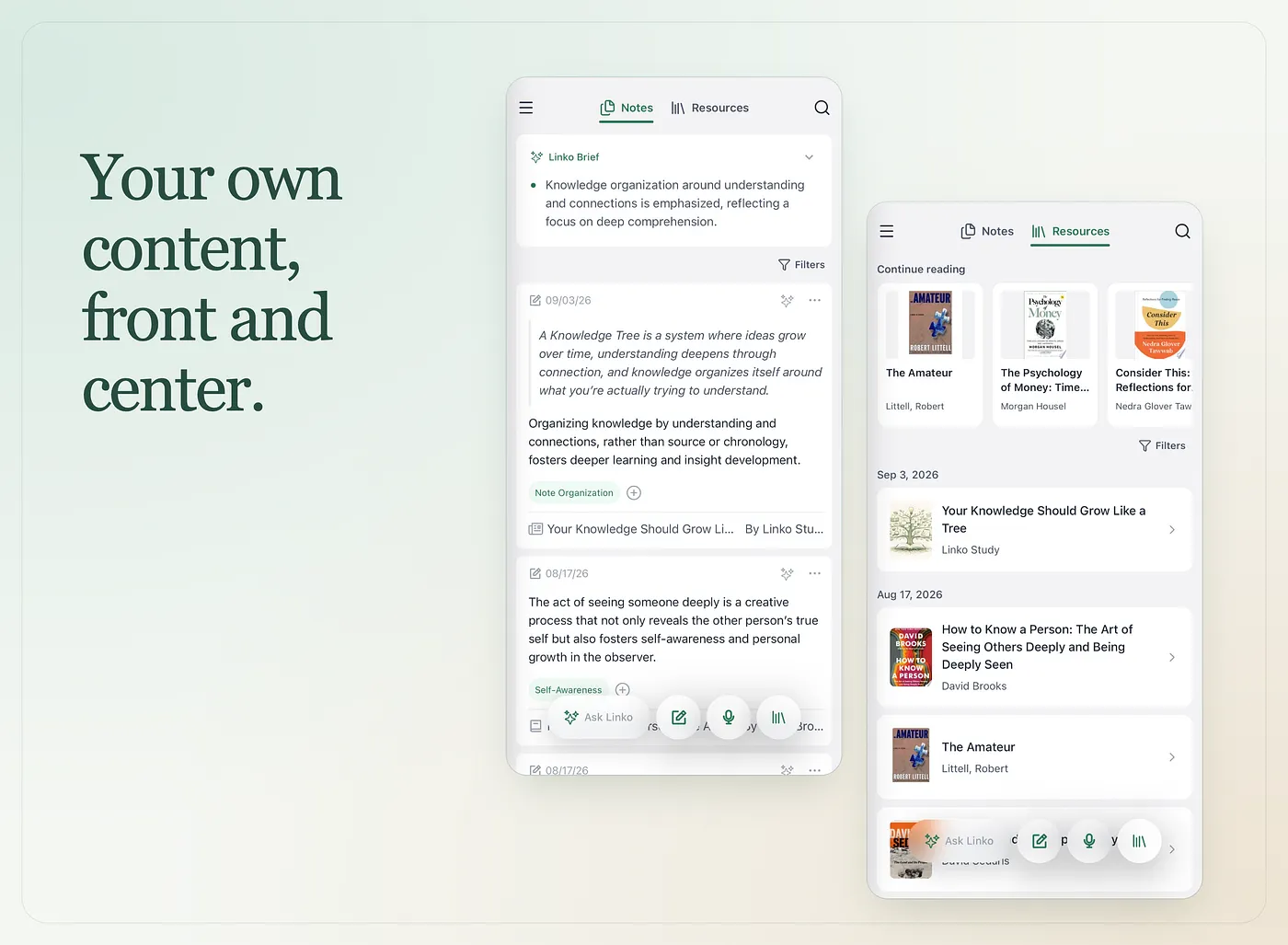
More room for the thread you’re already following
Revisit and Following still have a place in Linko. Revisit helps you reconnect with earlier thinking, while Following gives you a way to explore beyond your own content.
In the new architecture, both move to secondary positions so your personal workspace has more room.
This reflects a choice about what should come first. When you open Linko to continue a thought, your own notes and resources should be close at hand. From there, you can choose to revisit something older or explore what others are sharing.
Your current context sets the direction.
Find your way back through what you remember
Returning to a thought rarely begins with perfect recall.
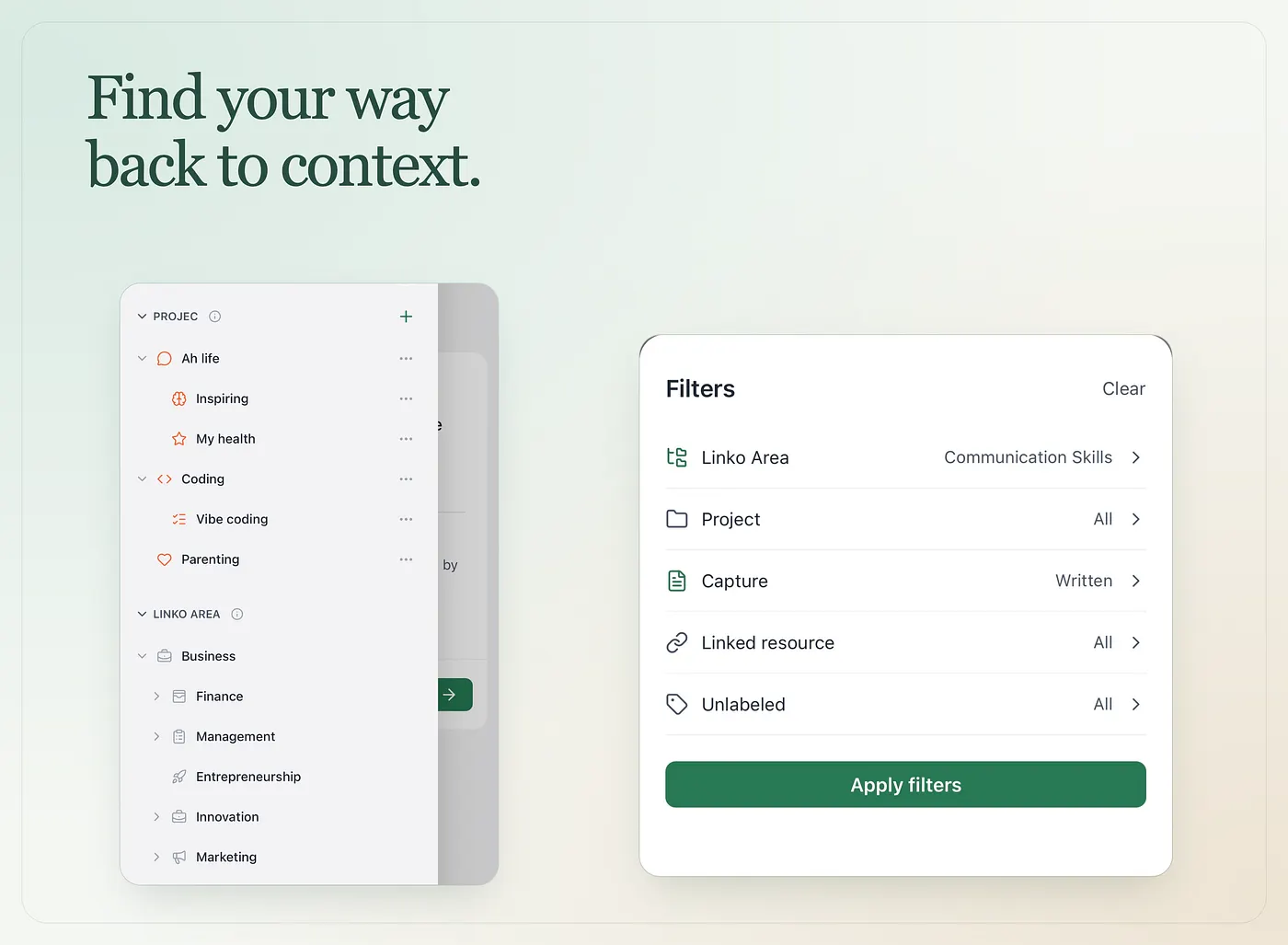
You might remember that a note belonged to a particular Project, came from a book you were reading, or started as a quick capture on your phone. Those fragments can be enough to help you find it again.
Notes can now be filtered by Area, Project, capture source, or linked resource. You can also find notes that haven’t been organized.
Resources have their own filters for type, source, and whether you’ve added notes.
These give you several ways back into your content. You can approach it through the work it belongs to, the material that prompted it, or the way you recorded it — whichever is closest to what you remember.
Imagine returning to a question you explored last week. You find the relevant notes through a Project, open the resource behind one of them, and add a thought that only became clear today. The pieces are already yours; the new layout makes them easier to bring back into view.
Keep adding to the context you’ve built
Once you’ve found your place, you may want to add something: a new observation, a reference, or a question worth keeping.
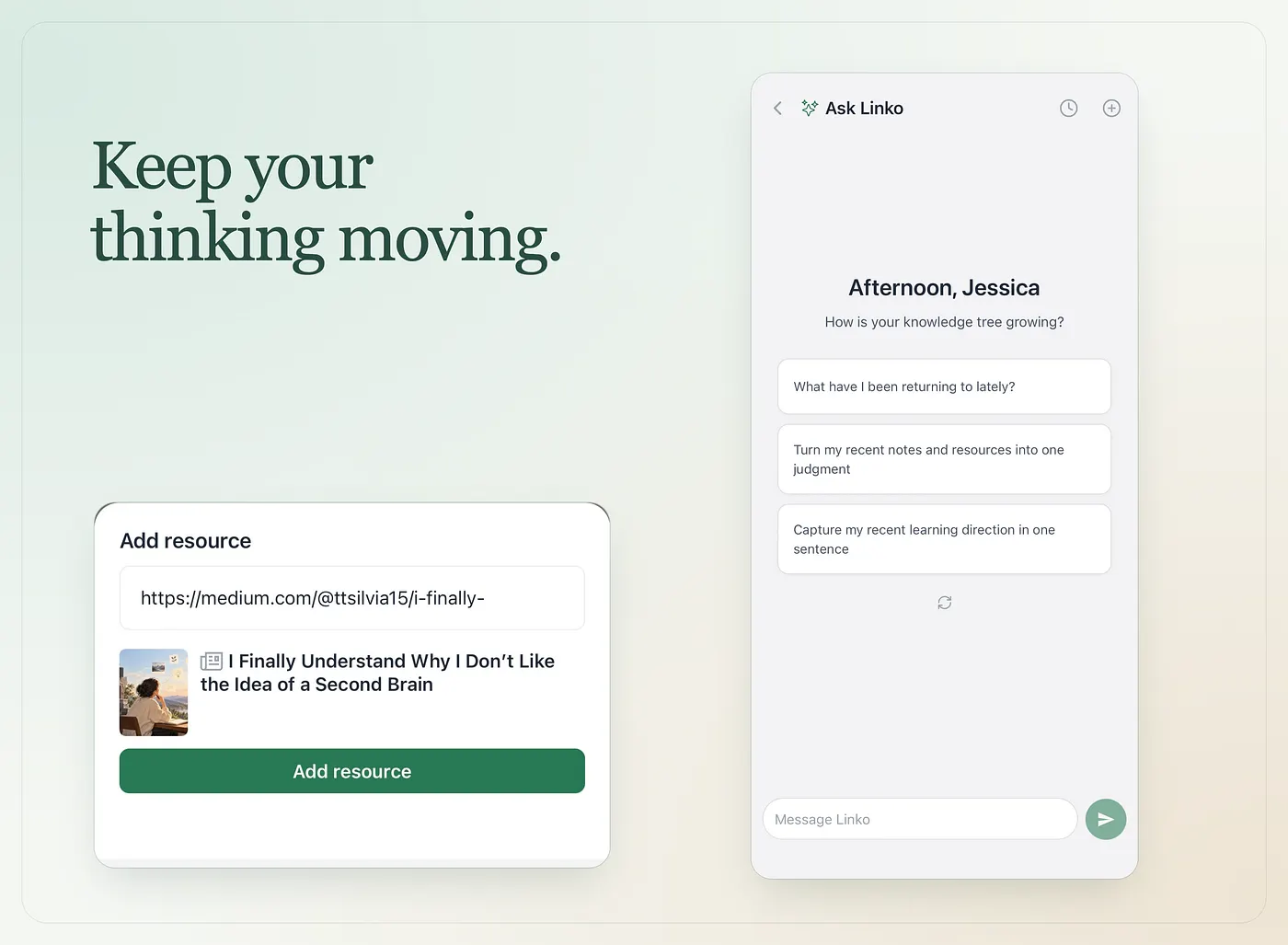
Adding resources now uses one flow for searching for books or pasting links, with a preview before you add them. That same flow is available when linking a resource to a note, so supporting material can sit alongside the thought you’re developing.
Other improvements support this continuity. Voice notes better preserve the language and perspective of your recording. Note saving is more resilient when automatic organization encounters a problem. Ask Linko has a refreshed starting page with suggested questions you can change.
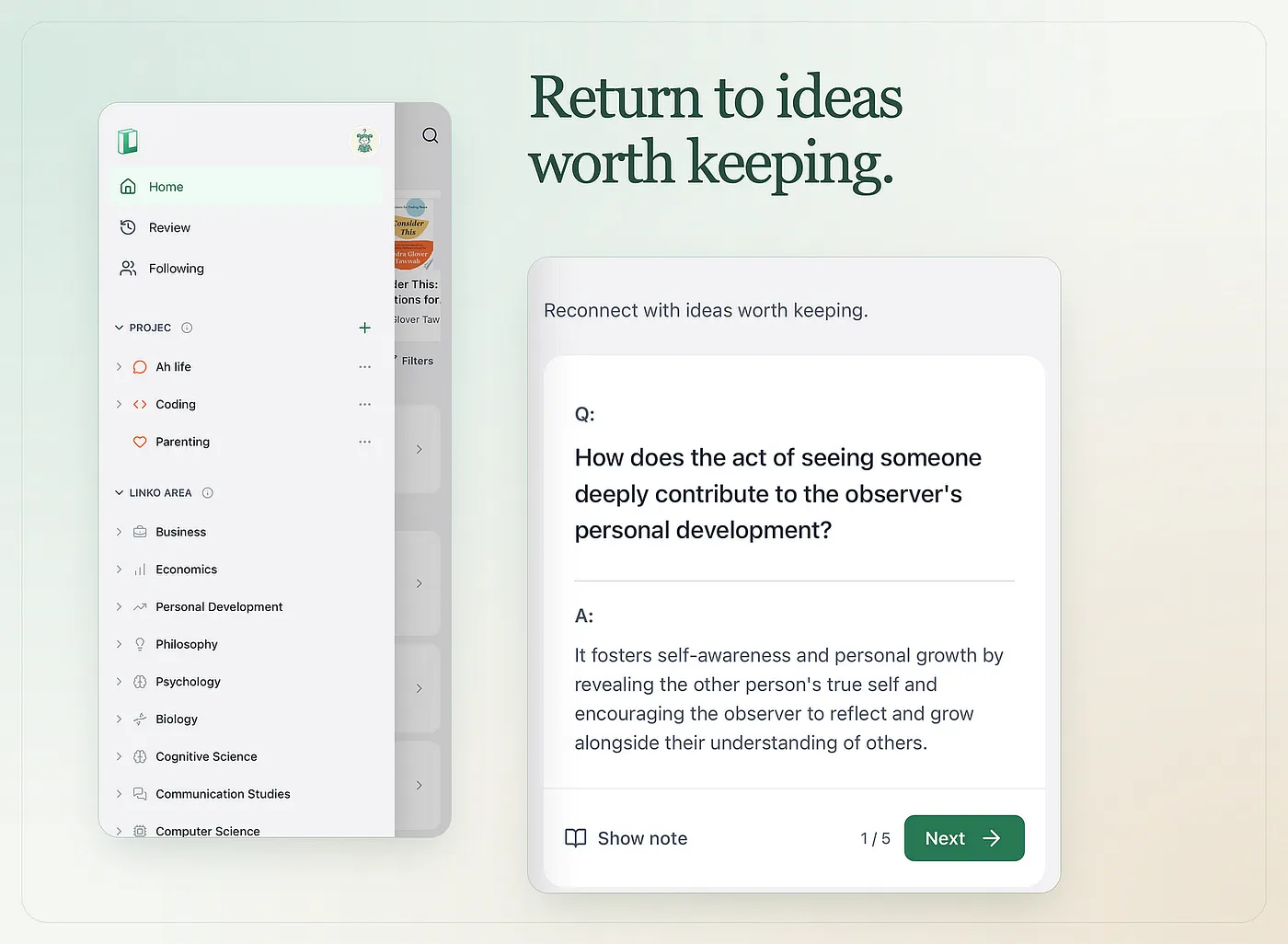
And when you deliberately choose to revisit earlier notes, Review offers clearer questions, a more readable question-and-answer layout, and visible session progress.
A familiar place to continue
A personal knowledge space becomes useful through the context you build inside it: the questions you keep returning to, the connections you notice, and the ideas you revise over time.
Opening it should help you recover that context.
That’s the purpose of this update. By giving your notes and resources greater priority, Linko makes more room for your own thinking — and a clearer place to continue it.
The new mobile experience is available in Linko 1.6.0 for iOS and 🤖Android.