Update Log ·
Linko 2.0: So What You Learn Doesn't Slip Away
By Linko Study
We do this all the time. We're halfway through a long video on how habits form, one line makes us pause, and we save the video and type a sentence about it. A week later we're reading an article on the same idea, and that sentence never comes to mind. To search for it, we'd have to remember we wrote it.
A while ago, one of us wrote on this blog that she had thousands of notes and almost never went back to them (Where Did All My Notes Go?). Linko already showed related notes when you wrote something new. In 2.0, it shows the connection the moment you save, and your old notes get more ways to come back.
Linko 2.0 is out on the web and in the app for iPhone, iPad and Android. Linko is your AI knowledge base: it connects everything you learn and brings it back when it matters. The film below shows it in a minute and a half. After that, we'll follow that one sentence about habits through 2.0.
Linko 2.0 intro film (English, with captions)
When you save, you see where it went
Before 2.0, saving a note felt like dropping it in a box. You hoped it was in there somewhere.
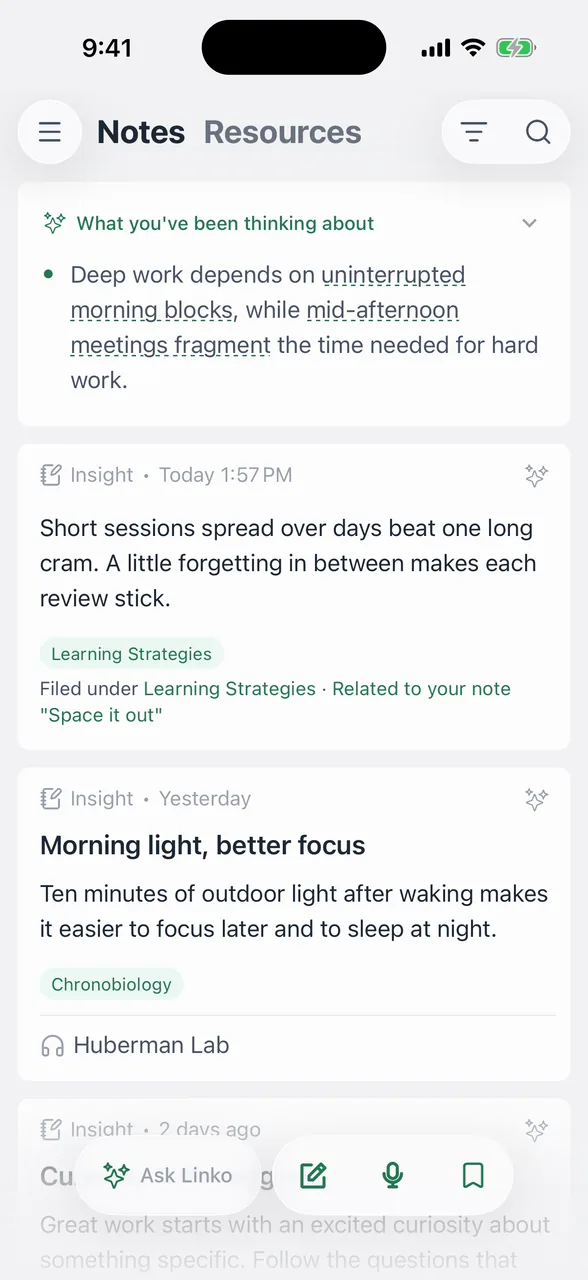
Now each time you save, the card tells you two things: the Topic the note went into, and the earlier notes it connects to. So when you save that article a week later and add a line, the card can say which Topic it's filed under and "Related to your note …", with your sentence from the video right there. In the recording on our release page, a note about spacing out study sessions comes back with "Filed under Learning Strategies" and "Related to your note 'Space it out'".
You don't pick a folder or a tag first. Since the link appears the moment you save, the older note shows up while that idea is still on your mind. More in Find an idea you half remember.
Every Topic shows what you understand so far
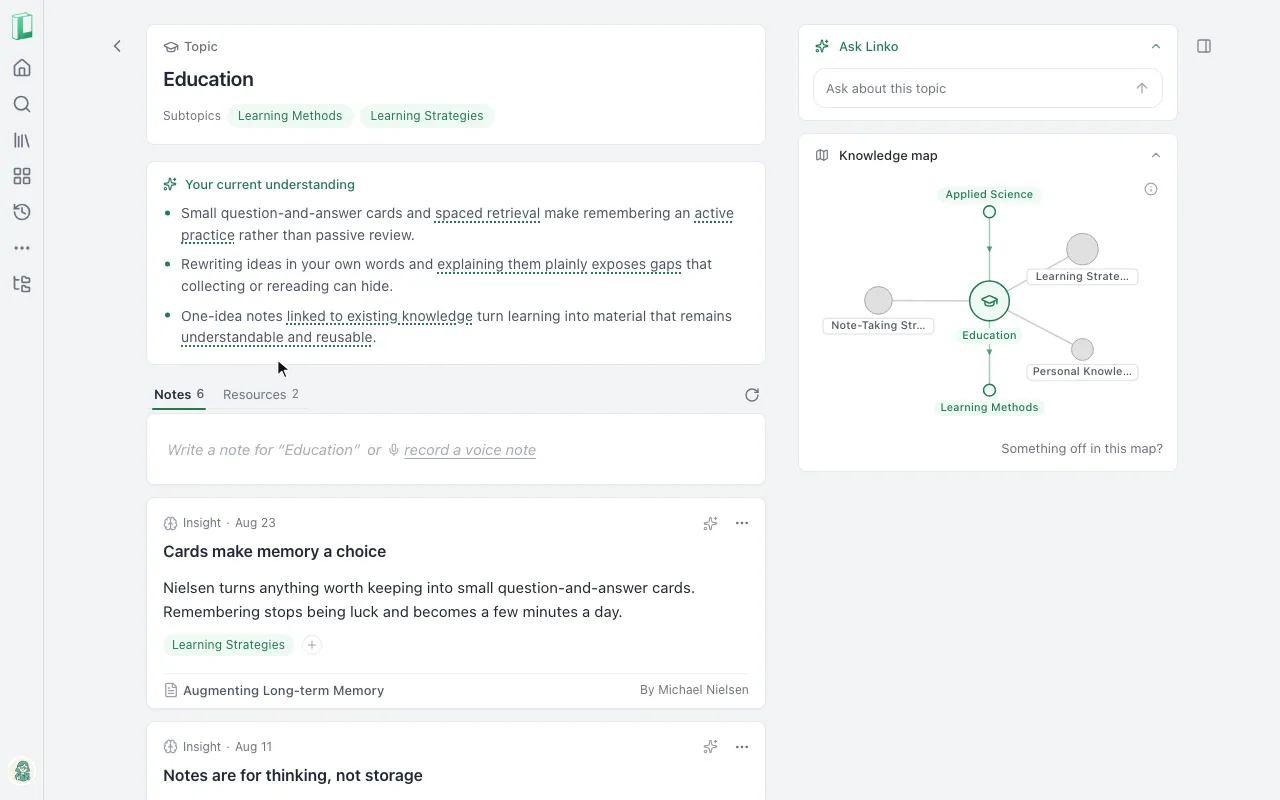
Topics are the groups Linko makes and files your notes into. Your line from the video and your line from the article can land in the same Topic, even though one came from YouTube and one from a website. Most of us follow a few interests at once, say AI, psychology and writing, and a Topic gathers what you've noted on one of them from wherever you noted it.
In 2.0, Topic and Tag pages open with "Your current understanding", a short summary of what your notes on that subject add up to. Each line points back to the notes it comes from, so you can check it and open the original thought. A knowledge map shows how your Topics connect, and knowledge rings show how they grow.
When you come back to habits after a month away, you start from a summary of your own thinking, with the notes one tap away. See Topic and Tag pages.
Ask Linko answers from your own notes
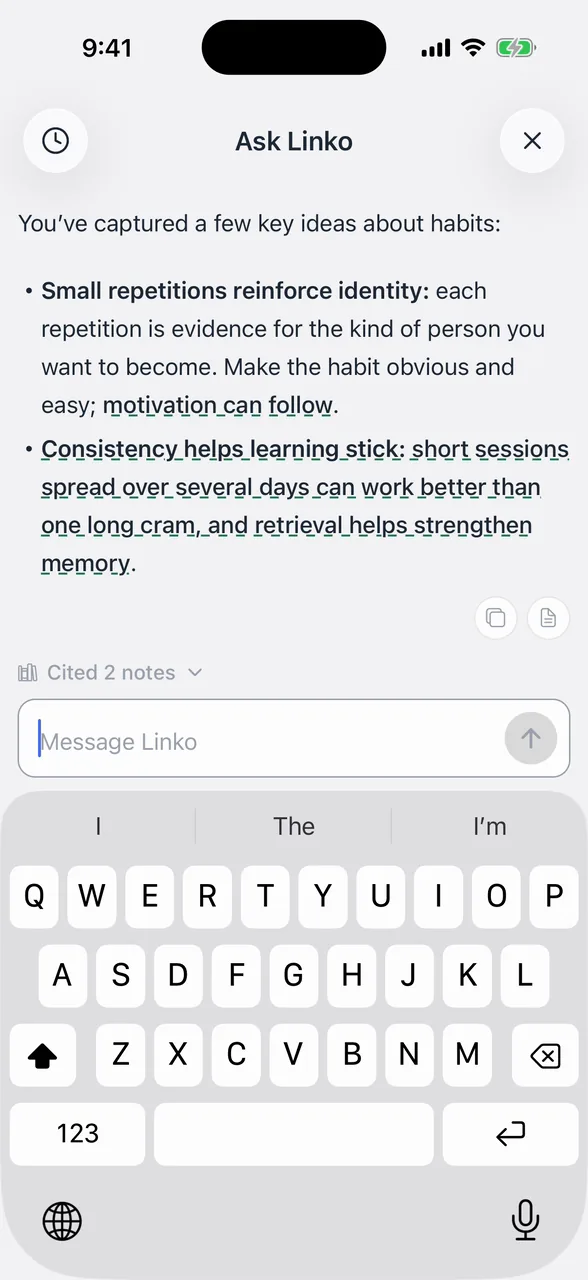
Some weeks later, you might not remember either note, only that you've read about habits before. Ask Linko lets you ask in plain words, like "What have I learned about habits?", and answers from your own knowledge base.
Every answer cites its sources. Under the answer you'll see something like "Cited 2 notes", and you can open them to see what the answer stands on. On your phone, Ask Linko opens as a full page from Home and Search. On the web, it opens right beside your notes. More in Ask Linko.
Resource pages, rebuilt for reading and notes
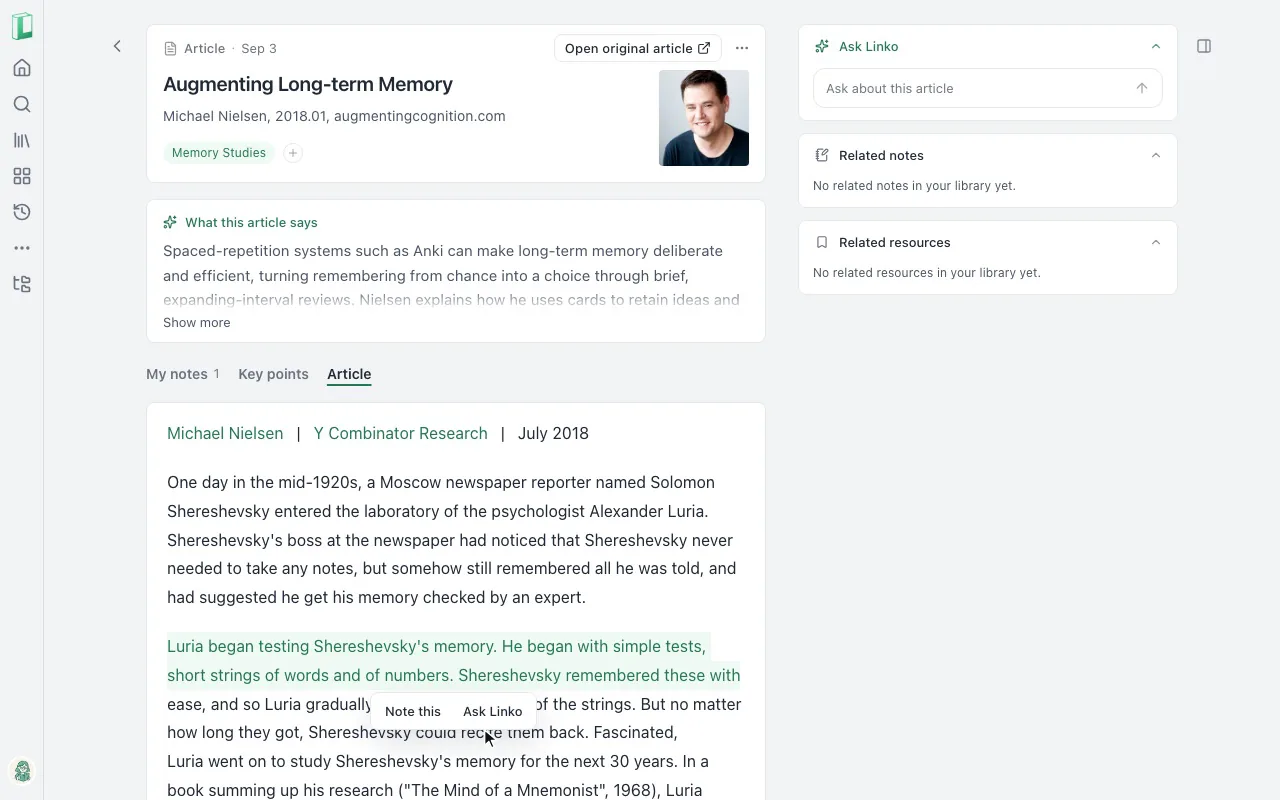
The video and the article you saved each have a resource page. If you usually read in one tab and write notes in another, you can now do both on one page: read the original there, or play the video or podcast. Articles, long posts and YouTube videos also get Key points, a section-by-section read of the piece.
When a passage stops you, select it. Choose Note this to quote it in a new note and add your line, or Ask Linko to ask about it.
Linko also keeps a text copy of the articles you save, so you can still read one if the original is taken down. See What Linko adds to a resource.
Daily review brings it back
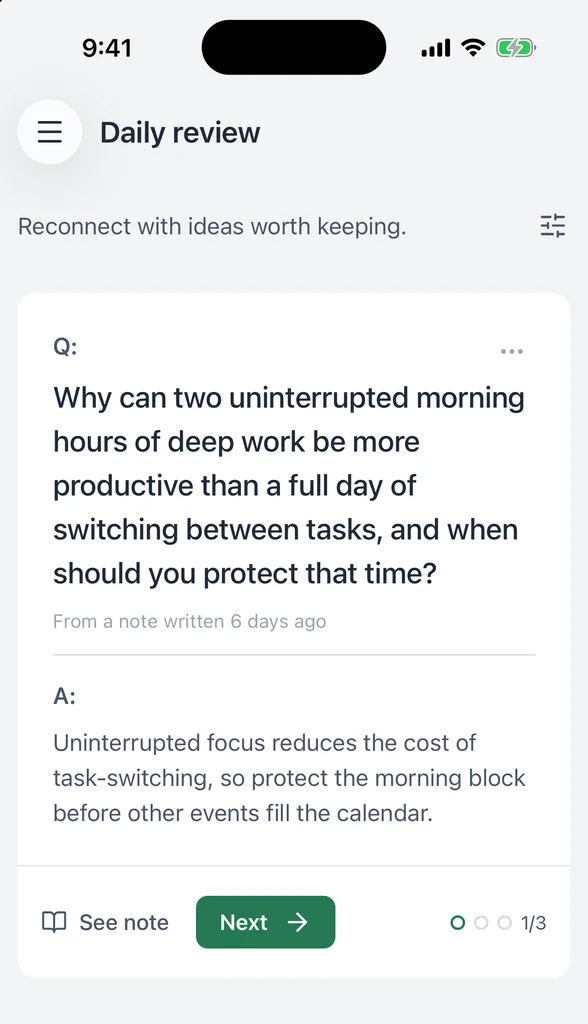
Daily review gives you one set of your notes a day. Each card shows a question Linko made from one of your notes (or, if a note has no question, asks whether you remember it). You think of the answer, then tap Show answer. One morning the card may come from your sentence about habits, a month after you wrote it, and you can tap See note to open it. See Daily review.
Also new in 2.0
- New names: Areas are now Topics, and Projects are now Tags, the groups you make yourself. Tags can nest, and one note can sit under several Topics and Tags at once (Tags and topics).
- Notes can have checklists, and you can share a note as a link or an image.
- A gentler start: new accounts get a short welcome, and you can skip any step.
- A more consistent look and a polished dark mode.
- Log in with an email code, or with a passkey in your browser and on iPhone and iPad.
- In the app, if your phone loses its connection, you can keep capturing. New notes, voice notes and links wait on your phone and sync when you're back.
- In the app: native menus on Apple devices, and swipe between tabs on Topic, Tag and Resource pages.
Everything else is in the Linko 2.0 release notes.
Import is also open, in Beta. On the web, you can bring in notes from Obsidian or Markdown files, and highlights from Kindle or Readwise. If something doesn't come in right, tell us.
Try Linko 2.0
Get Linko for iPhone, iPad or Android, or open it on the web: linko.study/get.
The next time a line in a video or an article makes you pause, save it and write that line down. Then look at the card. If you already use Linko, update the app and 2.0 will be there with your own notes.